
Why isn't my book live yet?
Your book goes live only after you submit it for review and we approve it. The status next to each format on My manuscripts tells you where it is and what, if anything, you need to do.
Steps
- In the dashboard sidebar, under Books, select My manuscripts.
- Select your book's title to open it, then find the format you expect to see for sale. Each format has its own status.
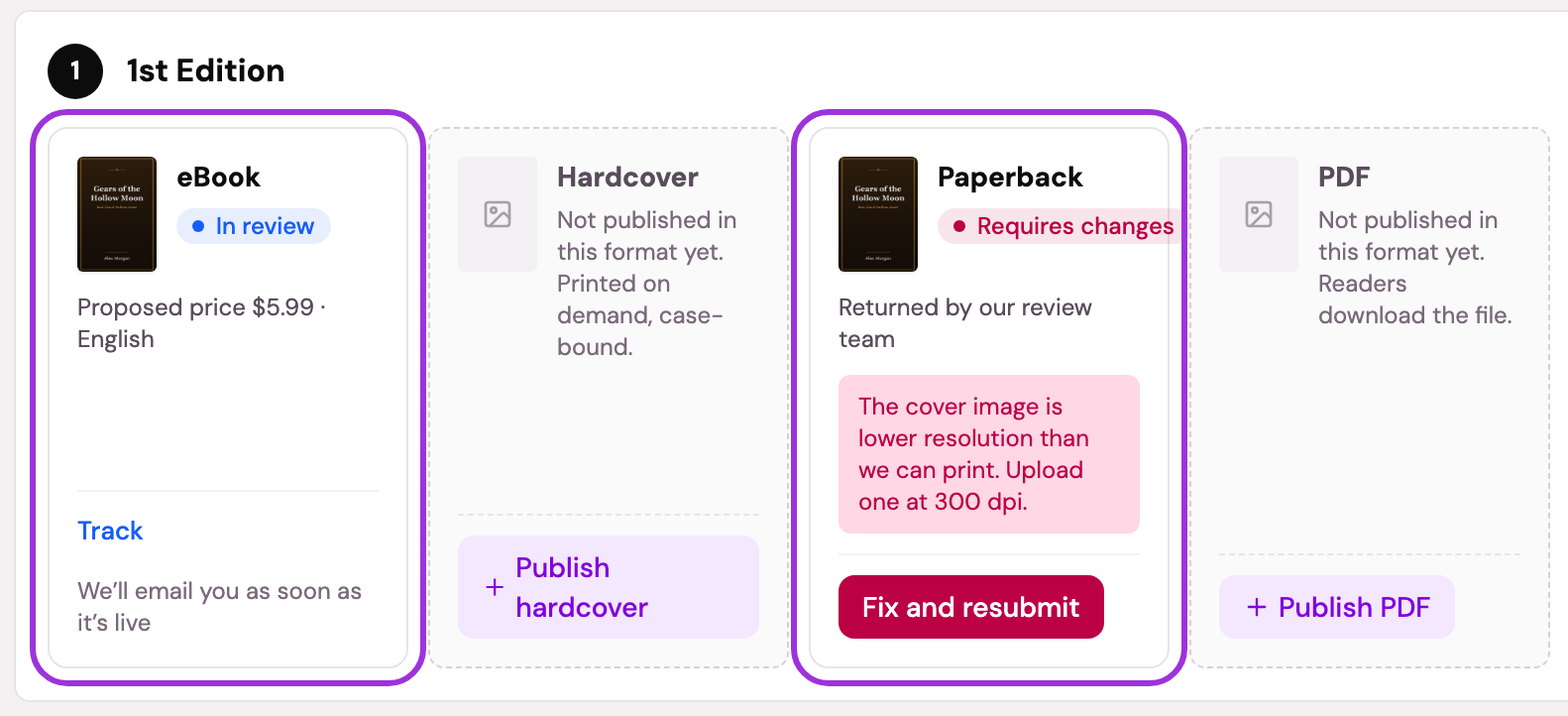
- Match its status in the table and do what it says.
Status | What it means | What to do |
|---|---|---|
No status, "Not published in this format yet" | You haven't started this format. | Select Publish eBook (or the format you want). |
Draft | You started this format but haven't submitted it. | Select Finish, complete each step, then select Submit for review. |
In review | It's with our review team. | Nothing for now. We email you when it goes live. Select Track to see your submission. |
Requires changes | We sent it back. The reason is in the red box under the status. | Select Fix and resubmit, make the changes, then select Resubmit for review. |
Live | Readers can buy it. | Select View listing to open its page on PubliRead. |
Delisted | It was live, but you archived the book, so it's no longer listed. |
If something goes wrong
- Submit for review takes you back to an earlier step. Something still needs finishing, such as the cover, price or book details. We take you straight to it.
- You're asked to upgrade when you submit. The Free plan lets you publish one format every 3 months, and each format counts separately. Wait until your next slot or choose a paid plan on our pricing page.
- You submitted too early. While a format is waiting for a reviewer, you can withdraw it. See Can I withdraw my book from review?
- The reason isn't clear, or review is taking longer than you expected. Message us with the book title and format and we'll check.
- It's Live but you can't find it on PubliRead. Select View listing on the format to open its page directly, and share that link.
Related
- How long does review take, and what do we check?
- My book was sent back. What do I change?
- Can I withdraw my book from review?
- How do I unpublish or remove a book?
Still stuck? Message us from the chat bubble and we'll help.
Updated on: 23/11/2026
Thank you!