
A page won't load. How do I report it?
Most pages that won't load are fixed by trying again, or by opening them in another browser. If the page still fails, send us its link, a screenshot and your browser, and we'll look into it.
Steps
- If you see "Something went wrong" and "We couldn't load this page", select Try again, or Go to the home page to start over.
- Reload the page in your browser.
- Turn off your VPN, ad blocker or security software for a moment and reload. Some security tools block parts of our site by mistake.
- Try a private window, another browser or another device. If it works there, an extension or old browser data is the cause.
- Still broken? Report it from the chat. On a computer, use the chat bubble. On a phone, tap the chat icon at the top of your dashboard.
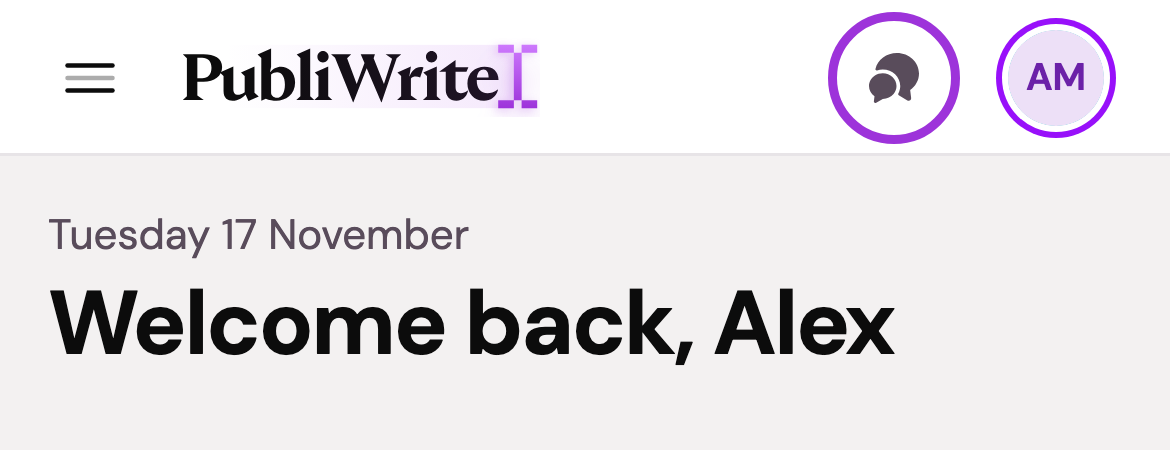
- In your message, include:
- the page link from your browser's address bar
- what you were trying to do, and what happened instead
- a screenshot or screen recording
- your browser and device, for example Chrome on Windows or Safari on iPhone
- roughly when it happened
If something goes wrong
- The page works for you but not for your readers. Ask them to try another browser or turn off their VPN or security software, then send us the page link and what they see.
- The proof-of-identity page never finishes loading. Message us with your country. See How do I verify my identity? for what's needed.
- You can't sign in, so you can't reach the chat. Open the chat on publiwrite.com, or email info@publiwrite.com.
Related
Still stuck? Message us from the chat bubble and we'll help.
Updated on: 23/11/2026
Thank you!