
How do I verify my identity?
You verify once, when you set up payouts on your Earnings page. For a bank payout, Stripe checks your ID and bank details through a secure form; for PayPal, you add the email address of your PayPal account.
Before you start
- Check that we can pay out in your country: see Can I get paid in my country?
- For a bank payout, have your ID and bank details to hand. Your details stay with Stripe, not us.

Prefer to watch? This short video guide walks through every step.
Steps
- Open Earnings under Money in the menu on the left, then click Set up payouts in the Payouts box.
- Under Your country, choose the country you live and bank in, then click Continue.
- If both methods work in your country, choose Bank account via Stripe or PayPal, then click Continue with Stripe or Continue with PayPal. If only one works, we set you up with that one: click Continue.
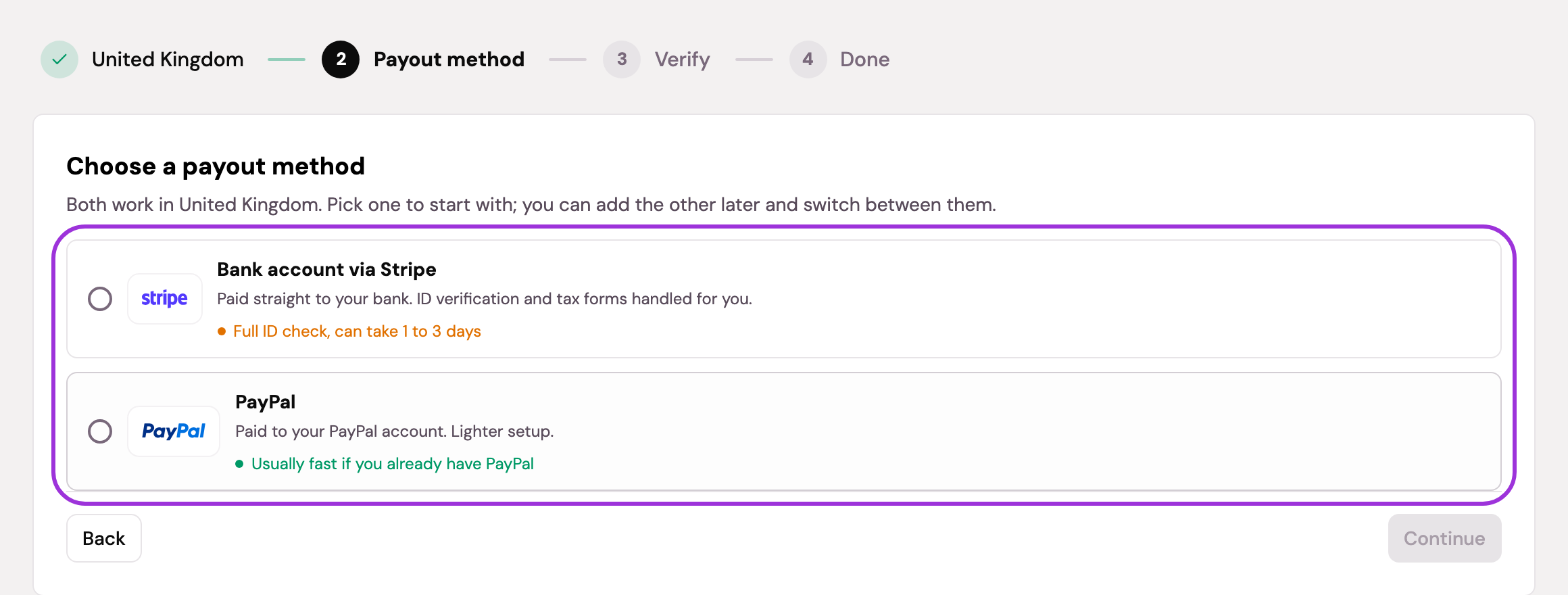
- Finish with the method you chose:
- Stripe: on Verify your identity, fill in Stripe's secure form. It takes about 3 minutes, and you can leave and come back.
- PayPal: enter your PayPal email and click Save PayPal email.
- With PayPal you're done straight away: you'll see You're ready to get paid. With Stripe, sending the form starts Stripe's check, which can take 1 to 3 days. Until it's done, the Payouts box on Earnings shows Not finished. When you're verified, it shows Active.
If you left Stripe's form part-way, click Finish setup in the Payouts box to pick up where you left off.
Add a second payout method
Once payouts are Active, the Payouts box lists both methods. Click Add beside the one you haven't set up, then Set up in the Payout methods window. To choose which one your withdrawals go to, see How do I withdraw my earnings?
If something goes wrong
- "We could not reach Stripe to start your setup." Check your connection, click Go back and try again.
- You sent Stripe's form and the Payouts box still says Not finished. That's expected while Stripe checks your details. If it's been more than 3 days, message us and we'll look at your account.
- The page never finishes loading. Refresh once. If it still hangs, message us and tell us your country.
- "Enter a valid PayPal email address." Check for typos and use the email you log in to PayPal with.
- You chose the wrong country. Message us before you go further, as the country is hard to change later.
Related
Still stuck? Message us from the chat bubble and we'll help.
Updated on: 23/11/2026
Thank you!