
How do I price my book?
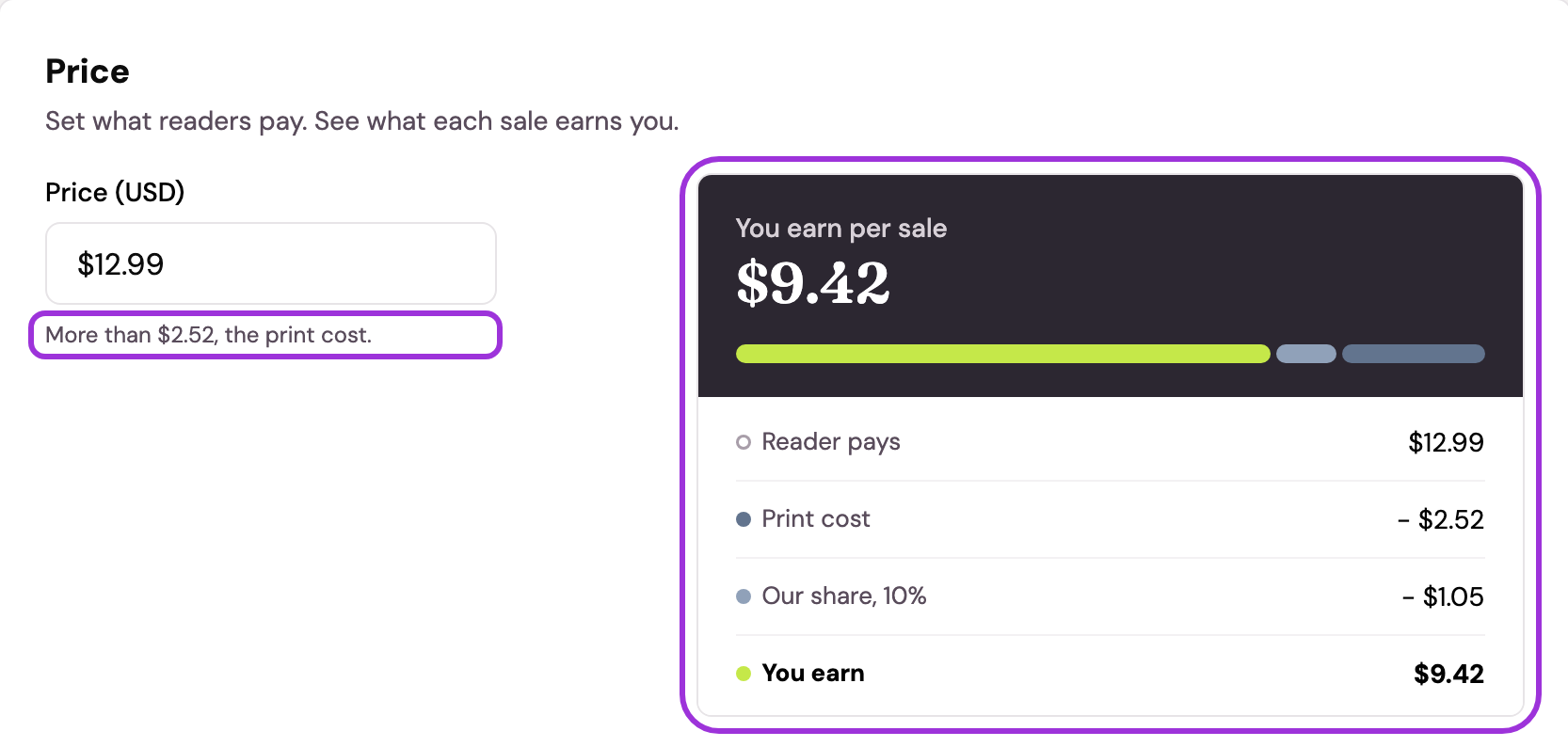
You set the price in US dollars in the Price step of the publishing steps, separately for each format. As you type, the step shows what you earn per sale, and for paperback and hardcover it shows the print cost your price has to beat.
Steps
- Open the publish flow for the format you're publishing and go to the Price step.
- For an eBook or PDF, decide whether to charge. Switch on Free for readers to give it away.
- Type your price in Price (USD). The hint under the field shows the lowest price you can set. For print, that's anything more than the print cost.
- Once your price is high enough, check the You earn per sale box beside it: Reader pays, Print cost (for print), Our share and You earn.
- If your book has co-authors, set the Royalty split below: see How do I split royalties with a co-author?
- Click Continue.
Choosing a price
- Look at similar books in your genre on PubliRead, in the same format, and see what readers pay.
- For print, start from the print cost and decide what you want to earn on top. A longer book costs more to print.
- If the step suggests a plan that would earn you more per sale, it shows the difference. You can dismiss it.
If something goes wrong
- "Your price is below the … print cost. Raise it to publish." The print cost has risen above your saved price, or your price is too low. Raise it until the hint clears.
- You can't find Free for readers. It's only offered for eBooks and PDFs. Print editions always have a price.
- You want to change the price of a live book. You can't change a live format's price from your dashboard. Message us with the book, the format and the new price: see Can I update my book after publishing?
Related
- How do royalties work?
- How do I split royalties with a co-author?
- Can I update my book after publishing?
- Is it free to publish, and which plan do I need?
Still stuck? Message us from the chat bubble and we'll help.
Updated on: 23/11/2026
Thank you!