
How do I publish an eBook?
Open your manuscript, select Publish, choose Ebook and work through the setup steps. When you select Submit for review, our team checks the book and emails you when it's done.
Before you start
- Your manuscript is finished, either written in Creator Studio or uploaded as a finished EPUB.
- On the Free plan you can publish one format every 3 months, and a format in review counts towards it. Paid plans have no limit. See our plans.
Prefer to watch? This short video guide walks through every step.
Steps
- Open your manuscript in Creator Studio and select Publish at the top. You can also go to My manuscripts and select Publish this book.
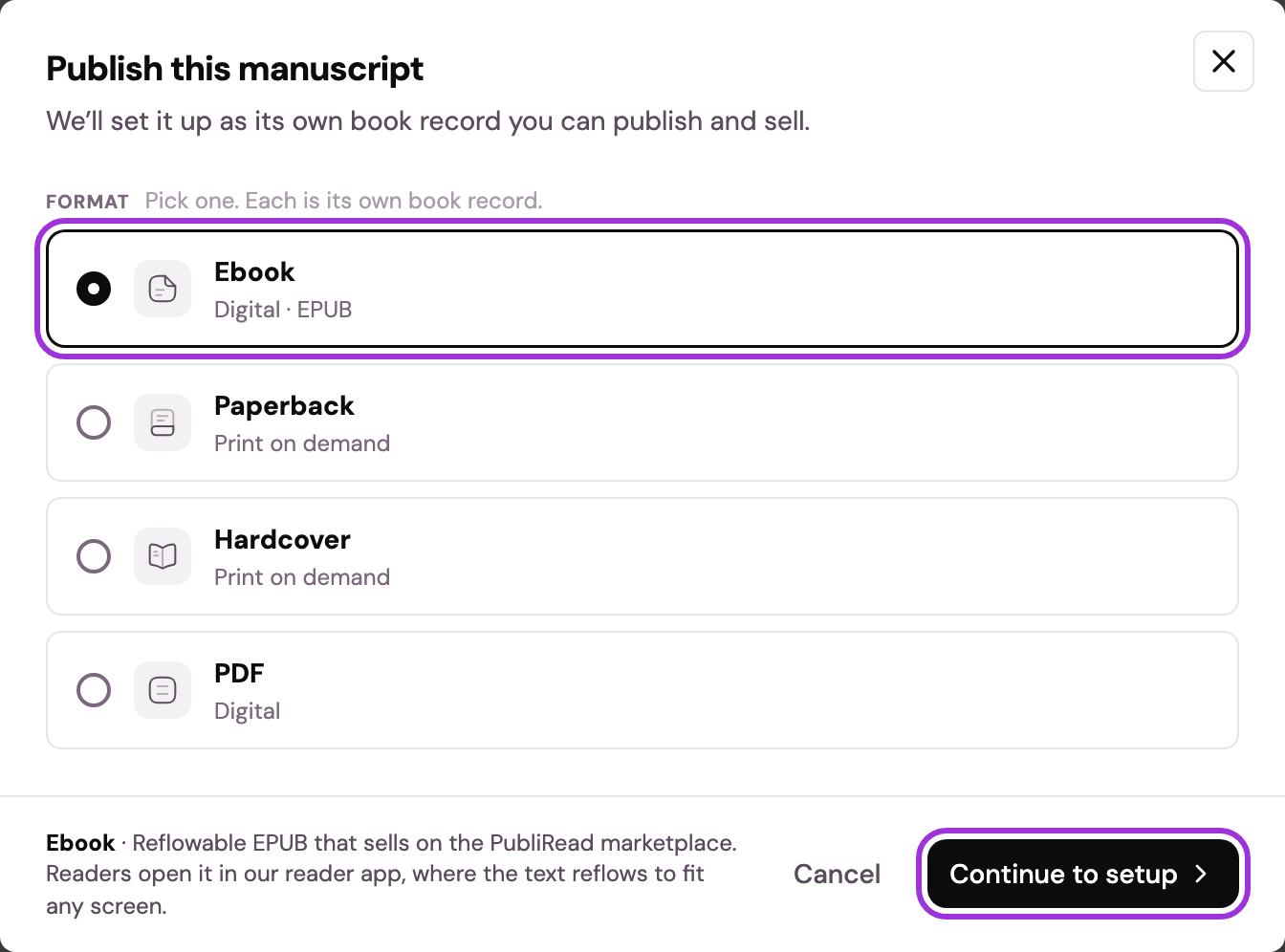
- Under Format, choose Ebook, then select Continue to setup.
- In Book details, choose the Language and write the Description readers see on the book's page. If you have pen names, pick the one to publish under in Author name.
- If you uploaded a finished file, check it in Your file.
- In Cover, choose Design it here to make one in our designer, or Upload my own.
- In Price, set what readers pay. You'll see what each sale earns you.
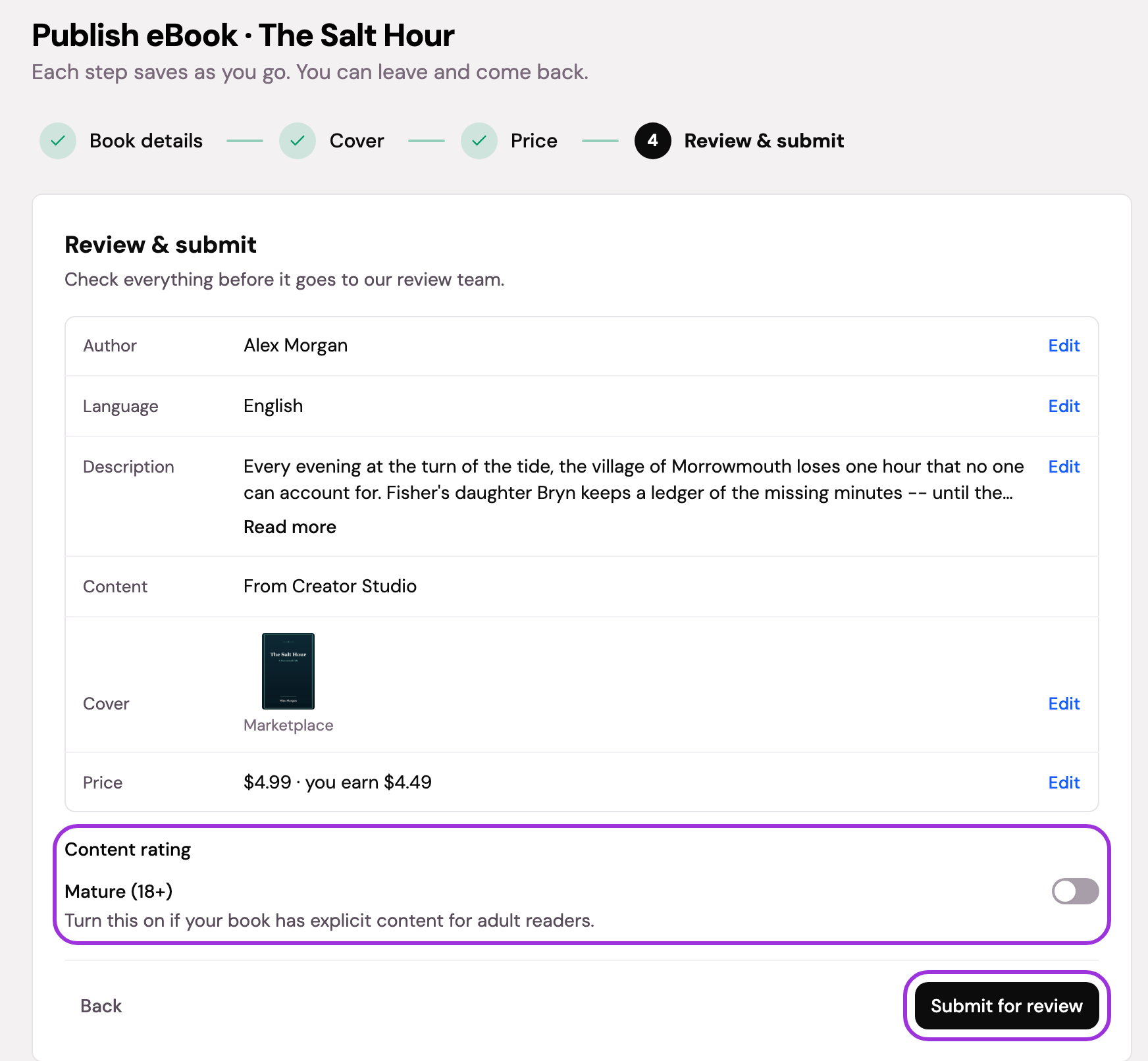
- In Review & submit, check the summary and the Content rating. Then select Submit for review and Yes, submit.
If you leave halfway, My manuscripts shows a Finish eBook button that picks up where you stopped.
Want a paperback, hardcover or PDF of the same book too? Start each one the same way. Every format is set up and reviewed on its own.
If something goes wrong
- Submit for review takes you to another step. Something still needs finishing. Steps with a red number in the progress bar are the ones to fix.
- Yes, submit is greyed out. Your book is marked as mature. Tick the box confirming it has mature content and that you have the right to publish it.
- After you choose a format, you see an upgrade screen instead of the setup. You've reached the Free plan limit. A format you've published or have in review uses your slot until the 3 months are up. Wait, or upgrade.
- The Author name option is missing. It only shows when you have at least one pen name. See Can I publish under a pen name?
Related
- How do I design an eBook cover?
- How long does review take, and what do we check?
- Can I get paid in my country?
Still stuck? Message us from the chat bubble and we'll help.
Updated on: 23/11/2026
Thank you!