
How do I publish a paperback?
Open your manuscript, select Publish, choose Paperback and work through the setup, including the print options and two covers. When you submit, we check the book and email you when the review is done.
Before you start
- Your manuscript is finished, either written in Creator Studio or uploaded as a print-ready PDF.
- Every paperback needs an ISBN. Paid plans include ISBNs. On the Free plan you buy one or use your own. See Do I need an ISBN?
- On the Free plan you can publish one format every 3 months. See our plans.

Prefer to watch? This short video guide walks through every step.
Steps
Hardcover follows the same steps.
- Open your manuscript in Creator Studio and select Publish at the top. You can also go to My manuscripts and select Publish this book.
- Under Format, choose Paperback, then select Continue to setup.
- In Book details, choose the Language, write the description readers see and, if you have pen names, pick one in Author name.
- In Page size, choose the trim size. If you uploaded a finished PDF, you check the file in Your file instead.
- In Print options, choose the Cover finish and the Paper. These set your print cost.
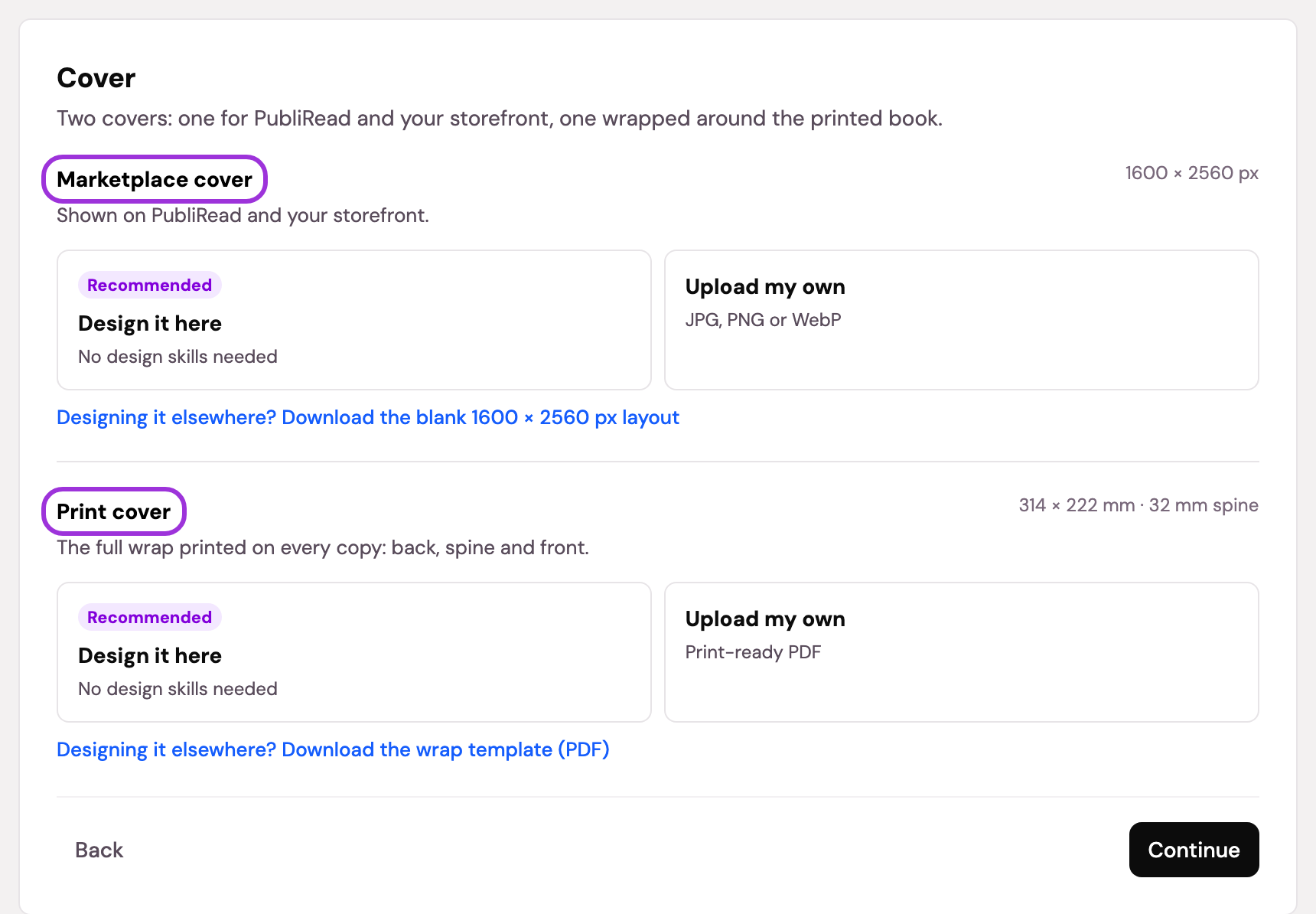
- In Cover, add both covers. The Marketplace cover is the front image readers see on PubliRead. The Print cover is the full wrap: back, spine and front, sized from your page count and paper. For each, choose Design it here or Upload my own.
- In Price, set what readers pay. We show your print cost before you set it.
- In Review & submit, check the summary, then select Submit for review and Yes, submit. If your plan includes an ISBN, we assign it now.
If something goes wrong
- We ask you to buy an ISBN. Your plan has no ISBN left this month, or you're on the Free plan. Buy one, or select Enter it here to use one you own.
- The print cover designer isn't available. We size the spine from your page count, so the designer waits until we've laid out your book. Give it a few seconds, or check the book isn't below the minimum page count. See Which page sizes and paper can I choose?
- Submit for review takes you to another step. Something still needs finishing. Fix the step with a red number.
Related
Still stuck? Message us from the chat bubble and we'll help.
Updated on: 23/11/2026
Thank you!