
How do I order author copies?
Open Author copies in your dashboard, pick how many copies of your paperback or hardcover you want, add a delivery address and pay. You pay the print price plus delivery, there's no minimum order, and every plan can order.
Before you start
You need a live paperback or hardcover. Author copies are print only, so a digital-only book won't appear, and a book still in review can't be ordered yet.

Prefer to watch? This short video guide walks through every step.
Steps
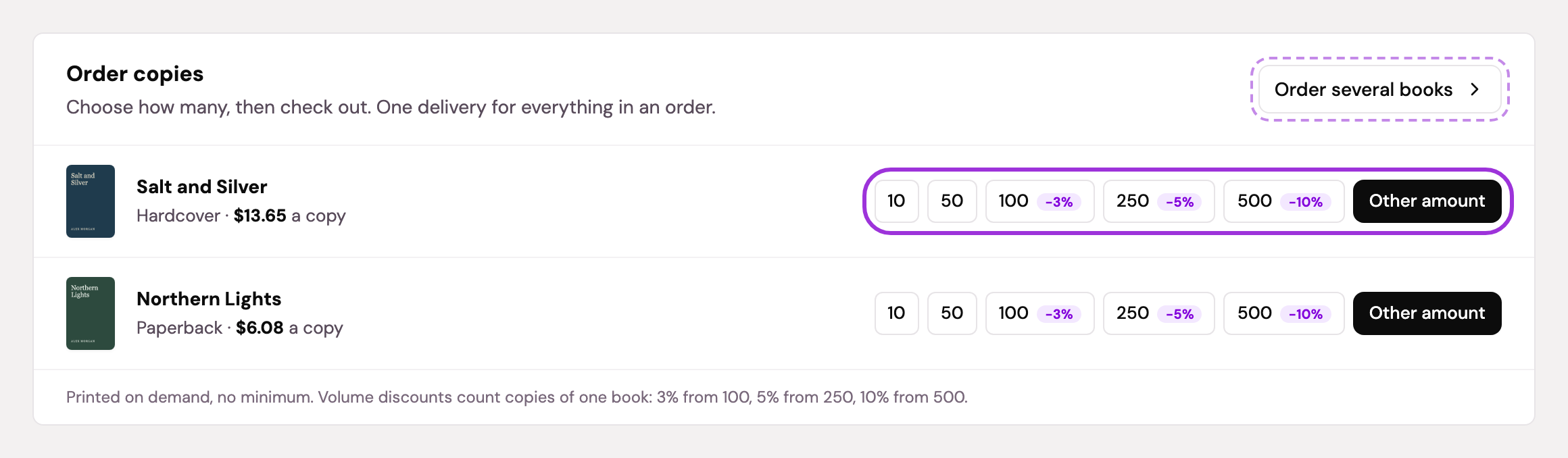
- Open Author copies from the menu on the left. Each of your print editions is listed with its price per copy.
- Click a quick amount (10, 50, 100, 250 or 500), or click Other amount to type your own number. To send several titles in one delivery, click Order several books instead.
- Under Ship to, click Add a delivery address (or Add new address if you already have one saved), fill it in and click Use this address.
- Click Continue to production & shipping. Choose a Production speed, which shows how many days printing takes, then a Delivery method, which shows the date your copies arrive by. If we can print your order in more than one country, you also choose under Where should we print?
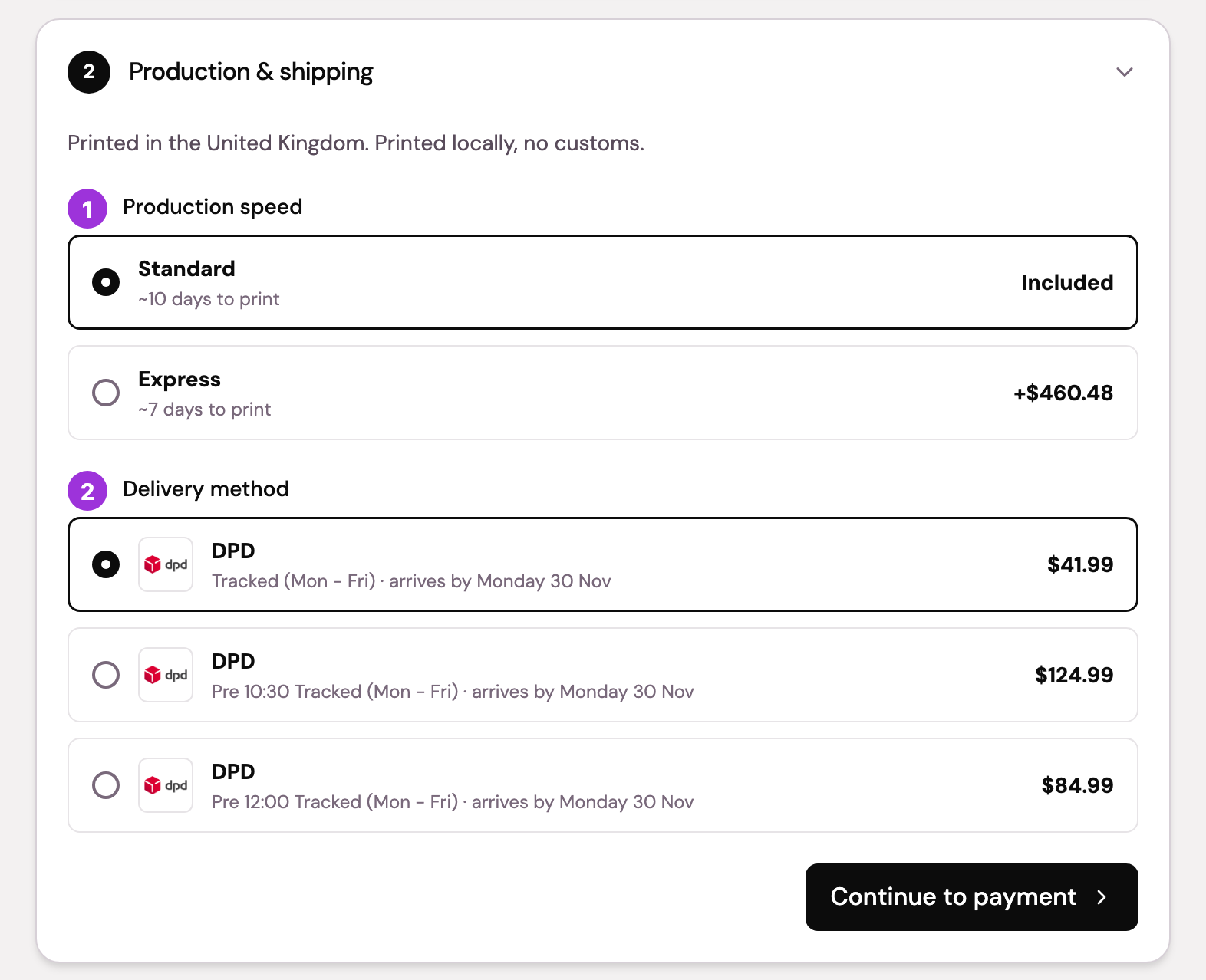
- Click Continue to payment, check the order total, then click the Pay button, which shows the amount. Payment is processed by Stripe, and we email you a receipt.
Volume discounts count copies of one book, and the quick amounts show where they start. You can order up to 1,000 copies of each book and 20 books per order. Your order and its invoice then appear under Your orders on the same page.
If something goes wrong
- "Our printer cannot produce this edition yet." We can't print that edition at the moment. Message us and we'll look into it.
- "Prints elsewhere than the rest of this order." That book prints in a different country from the others, so place a separate order for it.
- "Your delivery address needs a state." Click Edit address, add the state, then go back to your order.
- "We couldn't reach our print partner." Your quantity and address are saved. Click Try again after a moment.
- You need to change or cancel an order. Once you've paid, your copies go into production, so we can't change or cancel the order. Check the quantities and address before you pay.
- Import charges on delivery. Copies shipped from another country can be charged import VAT or duty, which isn't in your total. See Where do we print and ship?
Related
Still stuck? Message us from the chat bubble and we'll help.
Updated on: 23/11/2026
Thank you!