
How do I design an eBook cover?
You design your eBook cover on the Cover step of publishing, with our built-in cover designer. You need no design software, and the designer is included on every plan.
Before you start
- Use a computer. The cover designer does not open on a phone or small tablet.
- Your title comes from your book's details, so check it is spelt the way you want it on the cover.

Prefer to watch? This short video guide walks through every step.
Steps
- In the publish steps, open Cover. Under Marketplace cover, choose Design it here. This is the cover readers see on PubliRead and on your website.
- The designer opens in Compact mode, in three steps. Under Start, pick a style, then click Continue.
- Under Words, check your title and author name. Edit anything and the cover updates as you type. Click Continue.
- Under Refine, choose a Background colour and a Text colour that reads well against it.
- For more control, switch to Advanced. Now you can drag the title, change its font and size, add more text, and use Styles and Background to change the look. Undo takes you straight back if you don't like a change.
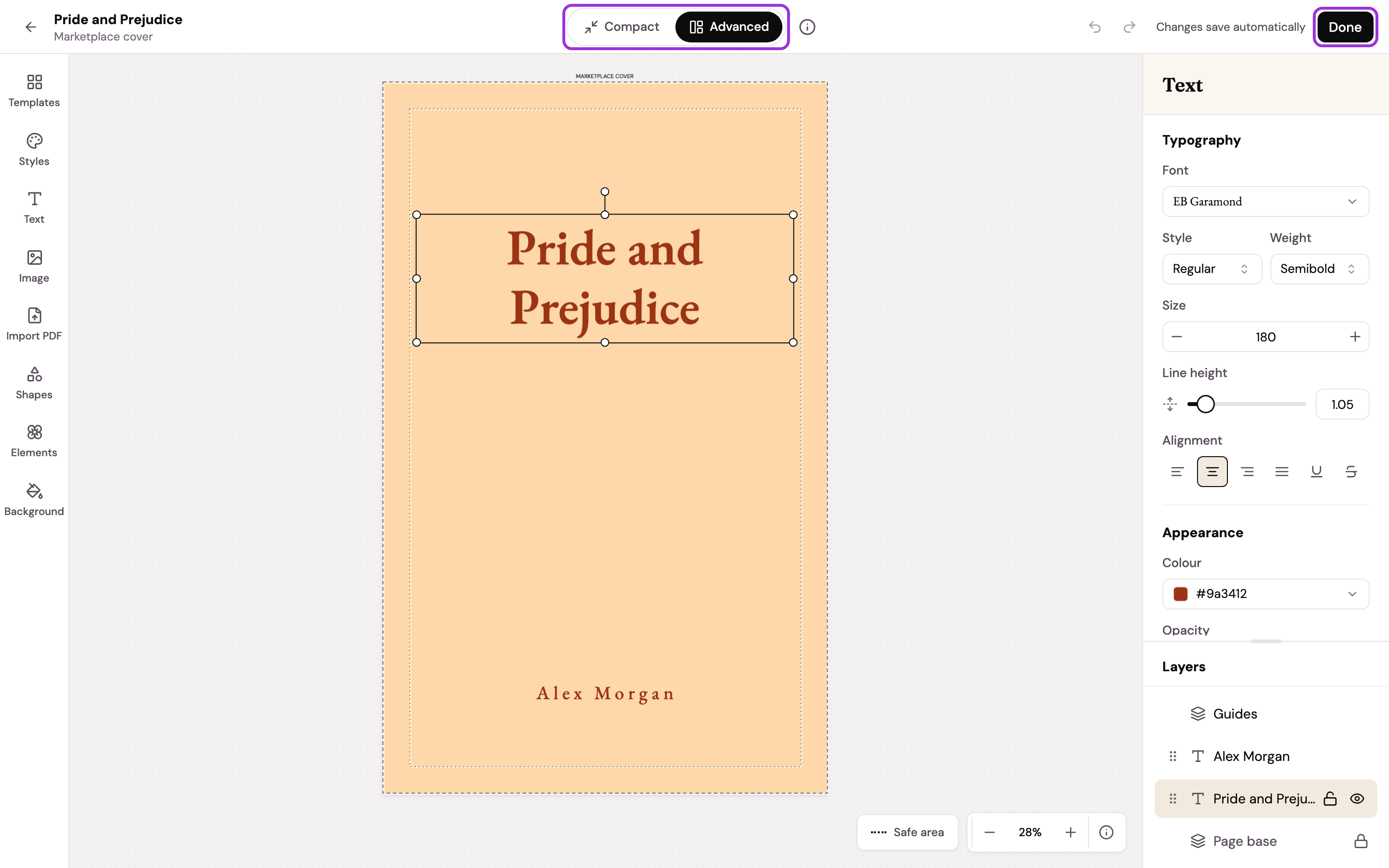
- Click Done to add the design as your cover. In Compact mode, Done appears on the last step.
To change it later, click Replace on the Cover step. If you open the designer again, your last design is still there.
Already have a cover? Choose Upload my own instead. What do my cover files need? explains the size and file types.
If something goes wrong
- You see "Switch to Desktop to Continue". Open the same book on a computer and choose Design it here again.
- You're told your uploaded image is small or wide. It's a suggestion, not a block. For the sharpest result, use an image 1600 × 2560 px.
- You want the same look on your paperback. The print cover is designed separately. See How do I design a paperback cover?
Related
Still stuck? Message us from the chat bubble and we'll help.
Updated on: 23/11/2026
Thank you!