
What do my cover files need?
Every book needs a marketplace cover: a portrait image, ideally 1600 × 2560 px, in JPG, PNG or WebP. A paperback or hardcover also needs a print cover: a one-page PDF of the full wrap (back, spine and front) at the exact size shown on the Cover step.
Marketplace cover
This is the cover readers see on PubliRead and on your author website.
- File type: JPG, PNG or WebP
- Shape: portrait
- Best size: 1600 × 2560 px or larger
- Maximum file size: 15 MB
An image that is less than 1280 px tall, or wider than a book cover, still uploads, but you'll see a note. Small images can look blurry on big screens, and wide ones lose their sides on your website.
Print cover
- File type: PDF, one page
- Covers: back, spine and front in one piece
- Size: the wrap size shown beside Print cover, to within 1 mm
- Maximum file size: 15 MB
The size comes from your format, page size, page count and paper, so it's different for every book. Leave the barcode area on the back clear: we add your ISBN barcode when we print.
Steps
- In the publish steps, open Cover.
- Under the cover you need, click the link that starts Designing it elsewhere? It offers the blank 1600 × 2560 px layout for the marketplace cover and the wrap template (PDF) for the print cover.
- Click Download layout or Download template. The print template is sized to your book, with trim, bleed and safe-area guides and spine markers.
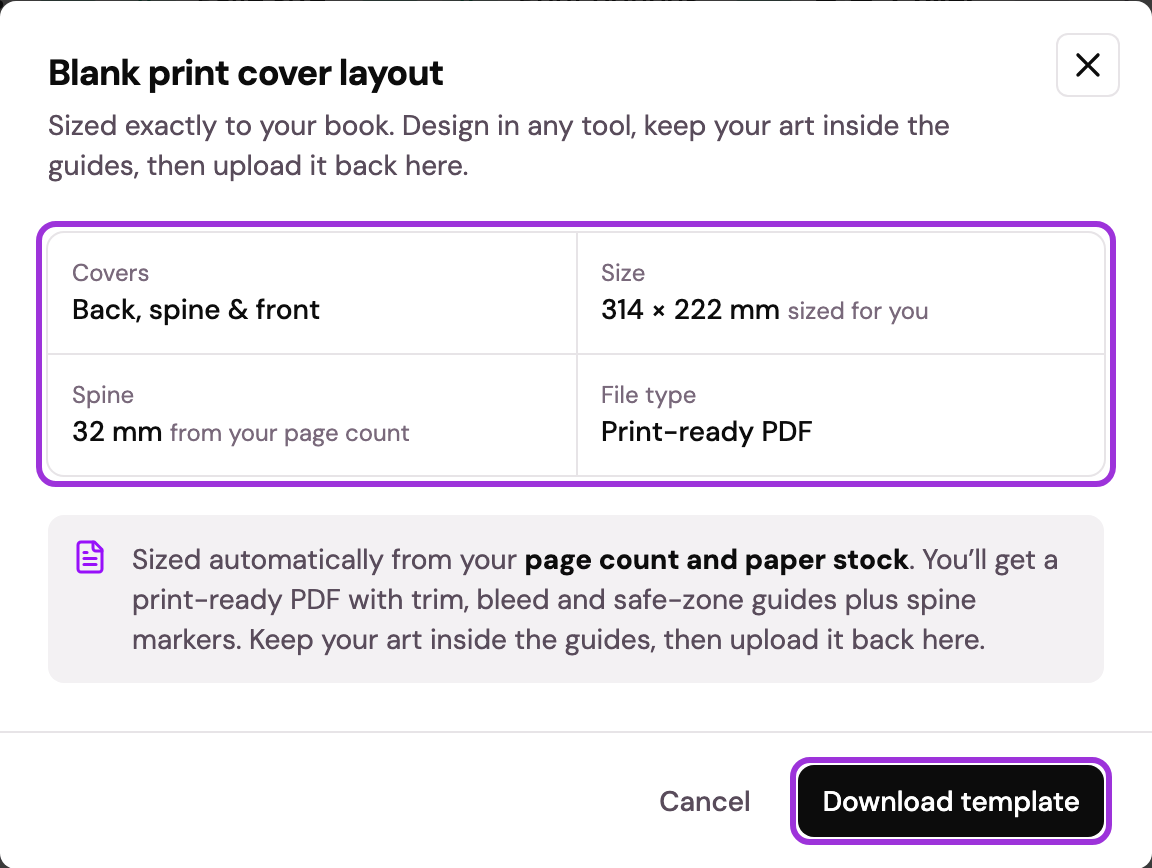
- Design your cover in any tool, keeping words and faces inside the guides.
- Back on Cover, choose Upload my own and add your file.
Rather not design it yourself? Choose Design it here and our cover designer sizes everything for you.
If something goes wrong
- "Your cover is … but needs to be …" The PDF is the wrong size. Export it again at the size shown, or start from the template.
- "Your cover PDF must be a single page." Export the back, spine and front together as one page.
- "We couldn't read your PDF." The file may be damaged or password-protected. Export it again without a password and upload it.
- Your page count changed. The spine width changes with it. Check the size beside Print cover still matches your file.
Related
- My import or upload failed. What now?
- How do I design an eBook cover?
- How do I design a paperback cover?
Still stuck? Message us from the chat bubble and we'll help.
Updated on: 23/11/2026
Thank you!