
How do I change my account details?
You change your name, photo, bio and other profile details on the Account page, and your email and password in its Sign-in & security panel. Your profile is shown on your public author page on PubliRead and on every book.
Steps
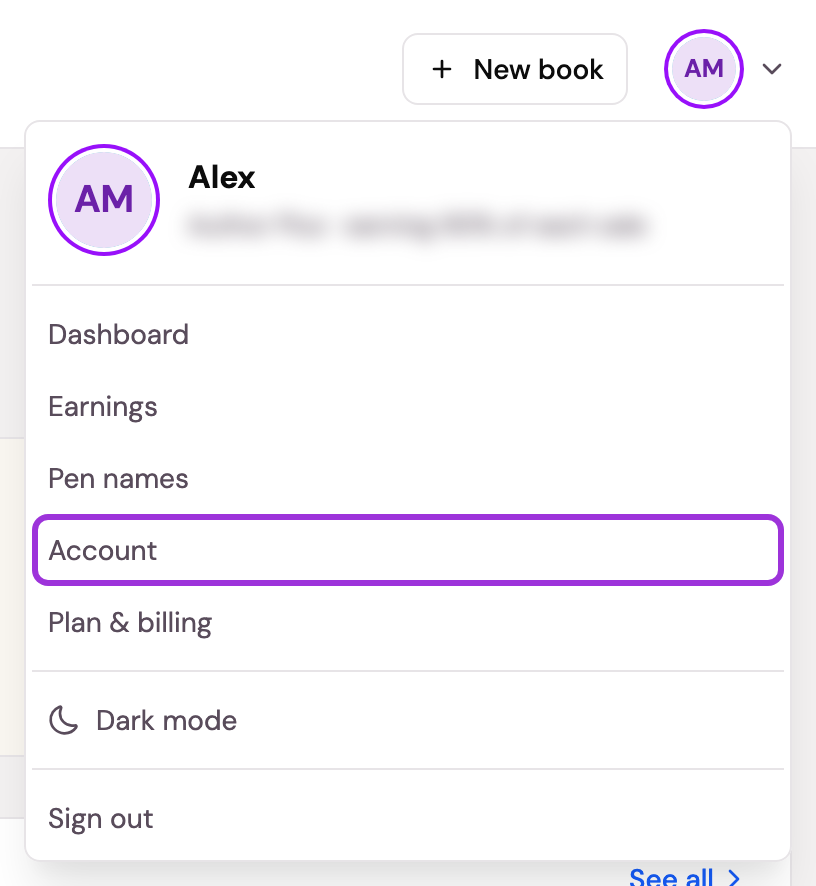
Every change starts on the same page: select your profile picture at the top of the dashboard, then choose Account.
Profile
- In Profile, change what you need: your photo and banner, First Name, Surname, URL handle (the end of your author page link), Country, the short intro about yourself, Gender, Date of Birth and your links.
- Select Save profile. You'll see "Profile saved".
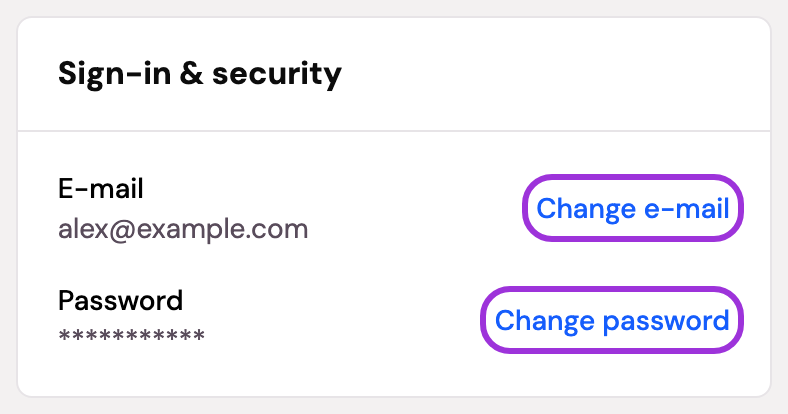
- In Sign-in & security, select Change e-mail, enter the new address and select Update.
- Open the email we send to the new address and verify it. Until you do, the panel shows the new address with "(Needs verification)".
Password
- In Sign-in & security, select Change password.
- Enter your Old Password and New Password, then select Update. If you signed up with Google, you'll see Set password instead and won't need an old one.
Delivery addresses
In the Addresses panel, select Manage addresses, or Add an address if you haven't added one yet. Author copies are sent to these addresses.
If something goes wrong
- Save profile is greyed out. Nothing has changed yet. Edit a field and it becomes available.
- "This slug is already taken". Another author uses that URL handle. Try a different one, using only lowercase letters, numbers and dashes.
- Your author page link won't open. Add your name, a photo and a bio, then save. The page needs all three.
- "New email cannot be the same as the current email". You entered the address already on your account.
- The verification email never arrived. Check your spam folder, then see I can't log in, or the email never came.
- Looking for your pen names or payout details? Pen names have their own page under Pen names in the same menu, and payout details are on Earnings.
Related
Still stuck? Message us from the chat bubble and we'll help.
Updated on: 23/11/2026
Thank you!